
Connect a measurement tool
With Progrid’s IoT box, it is possible to connect measurement tools to the Progrid database for use in the Quality app on a quality control point/quality check, or for use in a work center during the manufacturing process.
Find the list of supported devices in the Progrid IoT hardware documentation.
Connect with universal serial bus (USB)
To add a device connected by USB, plug the USB cable into the IoT box, and the device appears in the Progrid database.

Connect with bluetooth
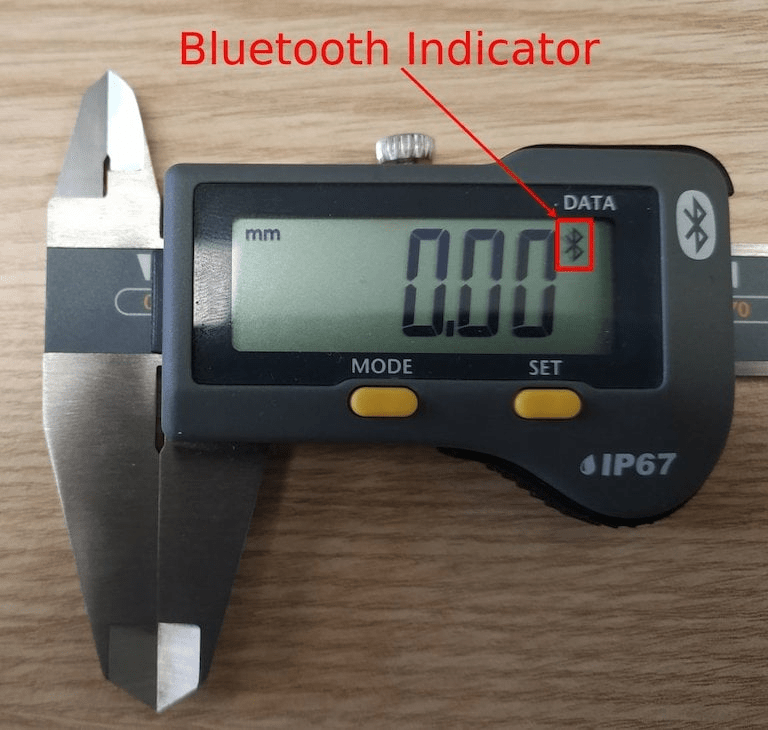
Activate the Bluetooth functionality on the device (see the device manual for further explanation), and the IoT box automatically connects to the device.
Link a measurement tool to a quality control point in the manufacturing process
In the Quality app, a device can be set up on a quality control point. To do that, navigate to , and open the desired control point to which the measurement tool should be linked.
From here, edit the control point, by selecting the Type field, and clicking Measure from the drop-down menu. Doing so reveals a field called Device, where the attached device can be selected.
Additionally, Norm and Tolerance can be configured. Save the changes, if required.
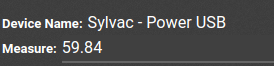
At this point, the measurement tool is linked to the chosen quality control point. The value, which usually needs to be changed manually, is automatically updated while the tool is being used.
Tip
Quality control points can also be accessed by navigating to , then select the device. There is a Quality Control Points tab, where they can be added with the device.
Note
On a quality check detail form, the Type of check can also be specified to Measure. Access a new quality check detail page, by navigating to .
See also
Link a measurement tool to a work center in the Manufacturing app
To link a measurement tool to an action, it first needs to be configured on a work center. To do that, navigate to . Then, select the desired work center in which the measurement tool will be used.
On the work center page, add the device in the IoT Triggers tab, under the Device column, by selecting Add a Line. Then, the measurement tool can be linked to the Action drop-down menu option labeled Take Measure. A key can be added to trigger the action.
Important
It should be noted that the first listed trigger is chosen first. The order matters, and these triggers can be dragged into any order.
Note
On the Work Order screen, a status graphic indicates whether the database is correctly connected to the measurement tool.
See also